 talktrack
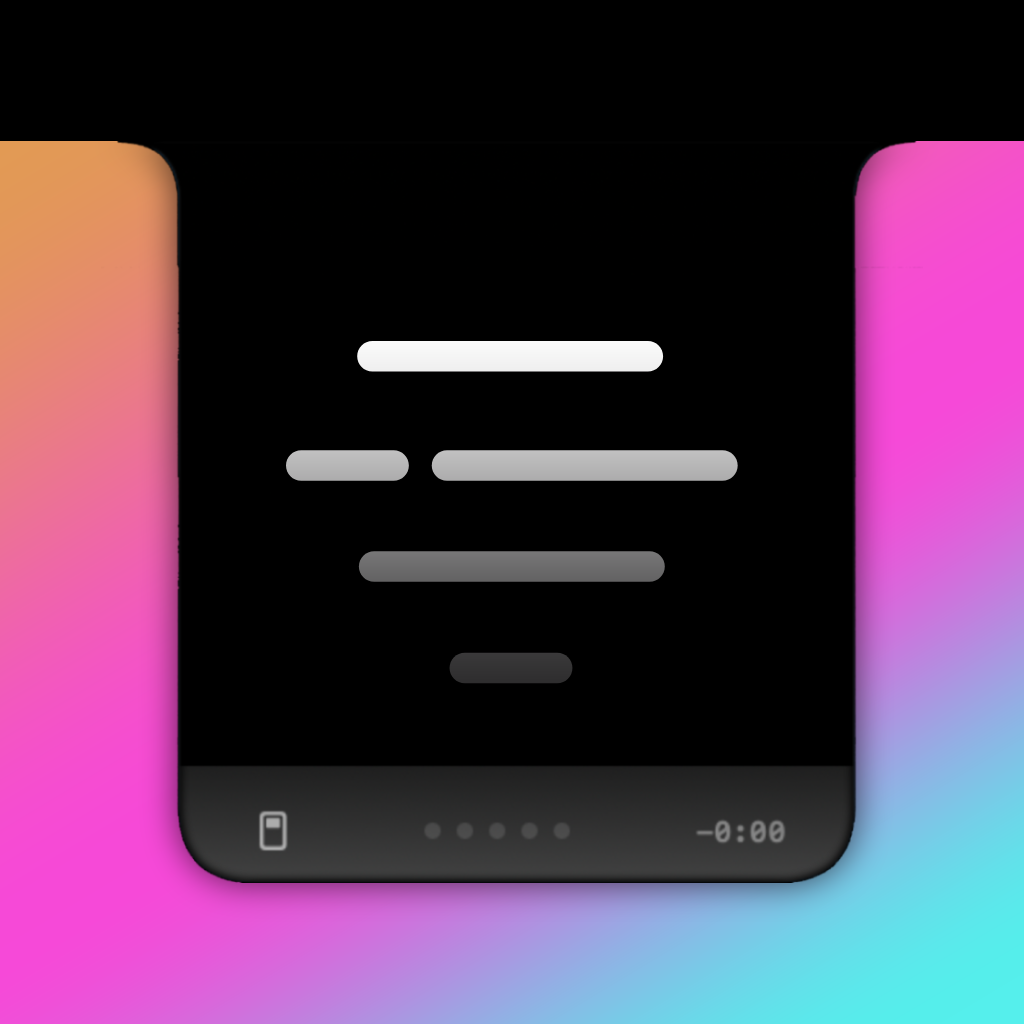
It sits under your camera
The script scrolls right below the lens so you're reading and making eye contact *with yourself* at the same time. People will think you memorized the whole thing.
- Notch and notchless modes — works on every Mac
- See yourself behind the script with eyeline camera
- Resize, reposition, fade — make it yours
Hit record. Look amazing.
Record right inside talktrack. Pick your camera, pick your mic, crank it up to 4K, and fine-tune the look with built-in camera enhancements. No extra apps. No export dance.
- Record in up to 4K — yes, really
- Choose your camera and mic
- Built-in enhancements: brightness, contrast, skin smoothing, sharpening, and more
Download it. Open it. Talk.
The whole app is free. If you want the extras, Pro is a one-time thing — not a subscription.
Tweak everything.
Font, text size, colors, scroll speed, start delay, line spacing, panel opacity — if you can see it, you can change it. Run it on your main display or throw it on an external monitor.
- Every visual setting you'd actually want
- Speed and delay that feel natural to you
- Multi-display support — use any screen
Unlock more stuff
Control talktrack from your phone. Use it as a virtual webcam in Zoom, Teams, or Meet. Save 5 scripts. Set custom shortcuts for everything. One purchase, no subscription, no account.
- Phone remote — control from across the room
- Virtual camera — use as a webcam in any app
- 5 script slots + fully custom keyboard shortcuts
Pay once. Own it forever.
The free version is genuinely free — not a trial, not a tease. Pro is there when you want more.
- ✓ Full teleprompter — notch & notchless
- ✓ Eyeline camera behind your script
- ✓ Every visual setting you can think of
- ✓ Speed, delay, and playback controls
- ✓ Record up to 4K with camera enhancements
- ✓ Script editing with file import
- ✦ Everything in Free — obviously
- ✦ 5 script slots for the over-prepared
- ✦ Custom keyboard shortcuts for everything
- ✦ Phone remote — control from across the room
- ✦ Virtual camera for Zoom, Teams, Meet, etc.
- ✦ Hide the panel from screen recordings
You're one download away from sounding like you rehearsed.
You didn't. But they'll never know.
If you talk on camera, this is for you.
It doesn't matter what you do. If you've ever stared into a lens and forgotten every word you planned to say — talktrack exists because of that moment.
No subscriptions. No accounts. No nonsense.
Just download it and talk.
Free forever. Pro unlock is one-time, $5.99, lifetime.
Already bought it?
Enter the email you used at checkout and we'll find your key.
FAQ
A few things people ask before they hit download.
What’s the difference between Free and Pro?
Free is the complete teleprompter — not a trial, not a teaser. It includes:
- Notch and notchless layouts
- Eyeline camera preview behind your script
- Full visual customization — fonts, colors, speed, opacity, line spacing
- Multi-display support
- In-app recording up to 4K with camera enhancements
- Script editing and file import
ProPro is a single one-time payment with no subscription. It adds:
- 5 saved script slots
- Custom keyboard shortcuts for every action
- Phone remote — control scrolling from any device on your network
- Virtual camera — use talktrack as the webcam in Zoom, Teams, Meet, and more
- Hide the teleprompter panel from screen recordings
What Mac or macOS version do I need?
- macOS 15.6 or later
- Works on Apple Silicon and Intel Macs
- macOS only — no Windows version
Not sure what you have? Go to Apple menu → About This Mac. It shows your chip and OS version at a glance.
I lost my Pro license key — how do I get it back?
Use the “Already bought it?” form on this page:
- Enter the email address you used at Stripe checkout
- Hit “Find my key”
- If a purchase is found, you’ll get your key back immediately
Nothing coming up? Check for typos, try a work or secondary email, and look for a Stripe receipt in your inbox — the address on that receipt is the one to use. No talktrack account is needed; the checkout email is the only identifier.
Is there a changelog or release notes?
Yes — every version is documented on the changelog page with plain-language notes on what changed and what was fixed.
The app also checks for updates in the background and will notify you inside talktrack when a new version is available, with a direct link to download the latest build.
Can I use talktrack as my webcam in Zoom, Teams, or Google Meet?
Virtual CameraPro lets you do exactly that. One-time setup:
- Open talktrack → Settings → Virtual Cam
- Enable the camera extension — macOS guides you through it
- In your meeting app, select talktrack as the camera source
Your audience sees the enhanced, framed feed you’ve configured in talktrack. It uses Apple’s native camera extension API — the same one other pro apps use — so it works anywhere macOS camera sources are supported.
How does the phone remote work?
Pro When enabled, talktrack hosts a lightweight control page on your local Wi‑Fi. Open the URL on any phone or tablet browser and you can:
- Start and stop the teleprompter
- Adjust scroll speed on the fly
- Jump back to the top of the script
Everything stays on your local network — no cloud backend, no login, no app to install on the phone. Just a URL.
Where do recordings go, and who can see them?
Recordings are saved locally on your Mac in a folder you choose inside the app. Nothing is uploaded anywhere during the recording process.
- Files are standard video — open in QuickTime, Final Cut, iMovie, or any editor
- You choose the save folder; you control who sees them
- Deleting is as simple as trashing any other file on your Mac
Does it work with external monitors?
Yes. The teleprompter panel works across any display macOS recognizes:
- Built-in MacBook screen
- External monitors — single or multiple
- Ultra-wide, vertical, standard — aspect ratio doesn’t matter
A common setup: script on the big external monitor in front of you, camera on the MacBook lid. You can size and position the panel independently so it sits right below whichever lens you’re actually recording with.
What cameras are supported — not just the built-in?
If macOS sees it as a camera, talktrack can use it. That covers:
- Built-in Mac webcams
- USB webcams (Logitech, Elgato, and similar)
- Continuity Camera — iPhone as a webcam via macOS
- Capture card feeds that macOS exposes as a camera source
If it shows up under System Settings → Privacy & Security → Camera, you can select it in talktrack. We don’t maintain a compatibility list — if the OS surfaces it, it works.
Does talktrack collect any data or send anything off my Mac?
Your content never leaves your Mac. Scripts, recordings, and camera feed are processed entirely on-device — nothing is uploaded for analytics, training, or any other purpose.
- No talktrack account — ever
- No subscription, no renewal, no recurring billing
- No cloud sync of your scripts or footage
The app makes two narrow network requests: checking for a newer version, and validating your Pro license key at activation. Neither involves your content or personal information beyond the key itself.